online security screen

Security

To report a lost or stolen card, call: 1 (888) 456-LAKE (5253). 

Security is a top priority at Lakeside Bank

Because you trust us with your personal and financial information, be assured we're committed to protecting it. Find out more about our anti-fraud safeguards and access additional resources to protect yourself.
 

Protect Yourself

a woman placing a finger on her lips

Keep your secrets

Don’t provide your Social Security number or account information to anyone who contacts you online or over the phone. Protect your PINs and passwords the same way. Use a combination of letters and numbers for your passwords and change them periodically. Do not reveal sensitive or personal information on social networking sites.
a person shredding papers

Shred sensitive papers

This includes receipts, banks statements and unused credit card offers. Make sure you shred them before throwing them away.
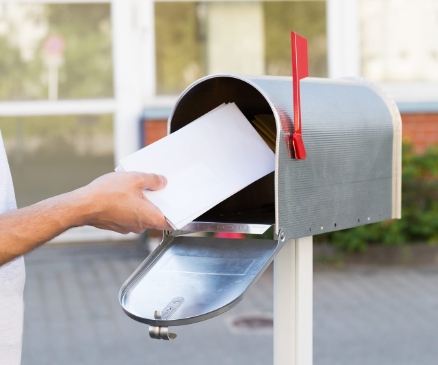
an opened mailbox

Keep an eye on the mail

Fraudsters look for monthly bank or credit card statements or other mail containing your financial information, so make sure you retrieve your mail quickly or have it delivered to a secure post office box. Also, don’t mail bills from your own mailbox with the flag up.
mobile banking icons

Use Online & Mobile Banking

Monitor your financial accounts regularly for unauthorized transactions that could be fraudulent.
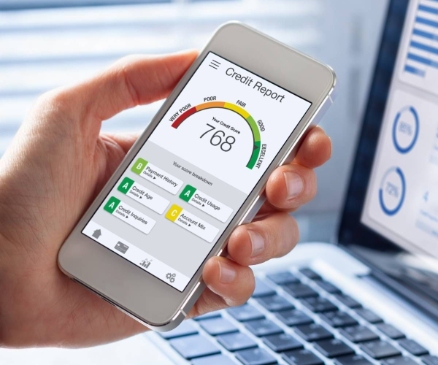
credit report on a mobile phone screen

Monitor your credit report

Visit annualcreditreport.com to order a free copy of your credit report every four months from one of the three credit reporting agencies.
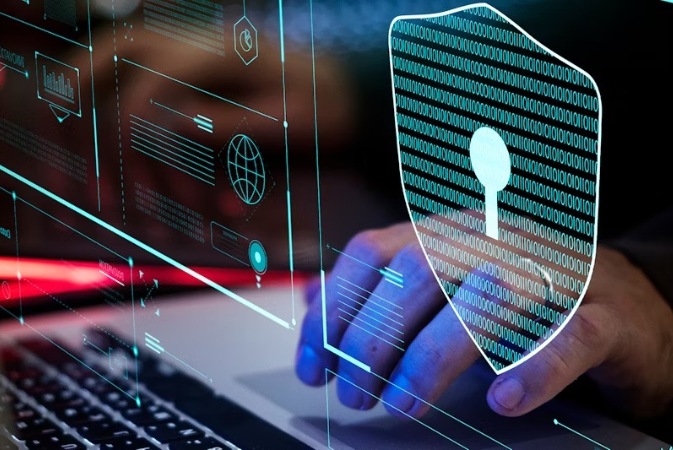
a person on a laptop with a security lock icon image

Protect your computer

Make sure you update the antivirus protection software on your computer and keep it active. A firewall can filter the information into your computer. When conducting business online, encrypt your activity by making sure your browser’s padlock or key icon is active. Also, look for an “s” after the “http” to ensure the website is secure. Never leave your computer unattended while logged on to Online Banking. Make sure you log out when you are finished using the system to properly end your session.
a person on their mobile and laptop computer with a simulated pad lock and shield

Protect your mobile device

Use the passcode lock on your smartphone and other devices. This will make it more difficult for thieves to access your information if you lose your device or it's stolen. Before you donate, sell or trade your mobile device, wipe it using specialized software or using the manufacturer’s recommended technique.
 
Some software allows you to wipe your device remotely if it's lost or stolen. Use caution when downloading apps because they may contain malware. And avoid opening links and attachments – especially from senders you don’t know.


dallas texas skyline

Report any suspected fraud to us immediately.

Call us at 1 (888) 456-LAKE (5253) and your credit card issuers immediately to close your accounts. 
Contact the fraud unit of the three credit reporting agencies to place a fraud alert on your credit report. Consider requesting a credit freeze so the criminal can’t open new accounts.
 
These are the fraud unit phone numbers:
  • Equifax: (800) 525-6285
  • Experian: (888) 397-3742
  • TransUnion: (800) 680-7289
Additionally, report the fraud online to the Federal Trade Commission or call the FTC at 1-877-IDTHEFT (1-877-438-4338).
 
File a police report
Make sure to maintain a log of all the contacts you make with authorities related to this matter. Write down names, titles and phone numbers in case you need to contact them later or refer to them in future correspondence.
 
For more advice, visit the FTC’s website
Keep these tips in mind when visiting any ATM or night deposit facility.
 
  1. Prepare your transactions at home (e.g., by filling out a deposit slip) to minimize your time at the ATM or night deposit facility.
  2. Mark each transaction in your account record, but not while at the ATM or night deposit facility. Always save your receipts. Don’t leave them at the ATM or night deposit facility because they may contain important account information.
  3. Compare your records with the account statements you receive.
  4. Don’t lend your Debit Card to anyone.
  5. Protect your Personal Identification Number (PIN). Don’t tell anyone your PIN. Don’t give anyone information about your Debit Card or PIN. Never enter your PIN in any ATM that appears suspicious. Don’t write your PIN where it can be discovered.
  6. Make sure people aren't close to the ATM when you're using it. Shield the machine with your body if people are waiting in line.
  7. If your Debit Card is lost or stolen, notify us immediately.
  8. When you make a transaction, be aware of your surroundings. Look out for suspicious activity near the ATM or night deposit facility, particularly if it is after sunset. At night, be sure that the facility (including the parking area and walkways) is well-lit. Consider having someone accompany you when you use the facility, especially after sunset. If you observe any problem, go to another ATM or night deposit facility.
  9. Don’t accept assistance for anyone you don’t know when using an ATM or night deposit facility.
  10. If you notice anything suspicious or if any other problem arises after you have begun an ATM transaction, cancel the transaction, pocket your card and leave.
  11. Pocket your cash it as soon as the ATM transaction is completed and count it in the safety of your own car, home or other secure surroundings.
  12. At a drive-up facility, make sure you lock all doors and roll up all windows except yours. Keep the engine running and remain alert to your surroundings.
  13. Please tell us if you notice any problems or if anything appears suspicious. For instance, let us know if a light is not working or if there is any damage to a facility. Please report any suspicious activity or crimes to both the operator of the facility and the local law enforcement officials immediately.
Phishing is a form of email fraud. Criminals send messages that appear to be from a trusted source, such as a financial institution or government agency, and direct you to a website asking you to “verify” your personal information. Once scammers have your information, they have the tools to commit account fraud using your name.
 
What you can do
  • If you receive an email that tells you to confirm certain information, do not click the link. Instead, use a phone number or website address you know to be legitimate.
  • Before submitting any financial information through a website, look for the “lock” icon on the browser status bar, or look for “https” in the web address.
  • Report suspicious activity.
 
Remember: Lakeside Bank will never send you an email asking you to verify personal information
 
Texts, pop-ups & downloads
Fraudsters send texts with “urgent” requests to lure people into providing personal information. Website pop-ups generated by these fraudsters will often ask users to download “important” information or “free” apps, resulting in spyware or other viruses.
 
What you can do
  • Be skeptical and reconsider providing personal information.
  • Only communicate with your financial institution using phone numbers or email addresses you know to be correct.
  • Don’t install apps unless you know the vendor.
 
Malware
This is malicious software, also known as “spyware,” often included in spam emails. If you click links, malware downloads to your system and takes control of your computer to forward your personal data to fraudsters.
 
What you can do
  • Install and regularly update your anti-virus software, anti-malware programs and operating system patches and updates.
 
General tips against internet fraud
  • Don’t judge by appearances: It's easy for anyone to set up a professional-looking website that's as impressive as a legitimate business.
  • Be careful giving personal data online: If you receive email or text requests for personal data, don’t send the data without knowing who’s asking.
  • Be wary of disguised emails and texts: If someone sends you an email or text using an mail header that has no useful identifying data, it could mean the person is hiding something.
 
Additional resources
Have you ever received a letter congratulating you for winning a foreign lottery along with a check? This is a common scam. The lottery angle is a trick to get you to wire money to someone you don’t know. And if you were to deposit their check and wire the money, you'd soon learn the check was fake. The money you wired can’t be retrieved, and you’re responsible for the checks you deposit, even though you don’t know they are fake.
 
This is just one example of a counterfeit check scam that could leave you owing money. The Federal Trade Commission wants you to know that counterfeit check scams are on the rise. The scammers use high-quality printers and scanners to make the checks look real. Some of the checks contain authentic-looking watermarks. These counterfeit checks are printed with the names and addresses of legitimate financial institutions. And even though the account and routing numbers listed on a counterfeit check may be real, the check still can be fake.
 
These fakes range from cashier’s checks and money orders to corporate and personal checks. Could you be a victim? Not if you recognize and report them.
 
Fake checks: Variations on a scheme
Counterfeit or fake checks are being used in a growing number of fraudulent schemes beyond lotteries, including check overpayment scams, online auction and secret shopper scams, and scams selling cars or other valuable items through classified ads or online auction sites.
 
Here’s how it happens
A scam artist replies to a classified ad or auction posting, offers to pay for the item with a check, and then comes up with a reason for writing the check for more than the purchase price. The scammer asks the seller to wire back the difference after depositing the check. The seller does it, and later, when the scammer’s check bounces, the seller is left liable for the entire amount.
 
Who is responsible for what?
Under federal law, financial institutions must make funds available to you from U.S. Treasury checks, official checks (cashier’s checks, certified checks, and teller’s checks), and checks paid by government agencies at the opening of business the day after you deposit the check. For other checks, financial institutions must similarly make the first $225 available the day after you deposit the check. Remaining funds must be made available on the second day after the deposit.
 
However, just because funds are available on a check you’ve deposited doesn’t mean the check is good. It’s best not to rely on money from any type of check (cashier, business or personal check, or money order) unless you know and trust the person you are dealing with or, better yet, until the financial institution confirms that the check has cleared. Forgeries can take weeks to be discovered and untangled.
 
The bottom line is that until the financial institution confirms the funds from the check have been deposited into your account, you are responsible for any funds you withdraw against that check.
 
Protecting yourself
  • Throw away any offer that asks you to pay for a prize or a gift.
  • Do not enter foreign lotteries. It’s illegal to play a foreign lottery through the mail or the telephone.
  • If you are selling something, don’t accept a check for more than the selling price, no matter how tempting the offer.
  • As a seller, suggest an alternative way for the buyer to pay, like an escrow service or online payment service. To learn more, visit ftc.gov/onlineshopping.
  • If you accept payment by check, ask for a check drawn on a local financial institution.
  • If the buyer insists that you wire back funds, end the transaction immediately.
 
If you think you are a victim
File a report with the following agencies:
  • The Federal Trade Commission at www.ftc.gov or 1-877-FTC-HELP (1-877-382- 4357).
  • The U.S. Postal Inspection Service at www.usps.gov or call your local post office.
  • Your state or local consumer protection agencies; visit www.naag.org for a list of state Attorneys General.

A major factor contributing to the risk of mobile banking is the failure to treat a cell phone or tablet like a computer. Consider the following:
 
  • As much as 36% of users don’t even lock their devices with a simple PIN or password.
  • Few consumers have any form of anti-malware software on their mobile devices and, with little consideration for security, many are willing to download apps from virtually any source.
  • Because they are mobile, cell phones and tablets are regularly used on public networks, which are inherently less secure.
Making matters worse, people are far more likely to lose a phone than a laptop. If your mobile device is lost or stolen, you could fall prey to identity theft and account hijacking. And beyond accessing your online accounts, thieves can access other saved passwords and sensitive information.
 
Make mobile banking safer
Take a few simple precautions to protect your information and device.
  • Don’t get phished: Avoid clicking on links in text messages or emails because these links may lead to malicious websites or downloads.
  • Don’t save login information on your mobile device, especially for Online Banking or e-commerce sites.
  • Have a passcode on your device and set it to auto-lock after a certain period of time.
  • Before downloading any app, make sure it is from a known provider, then read the app’s privacy policy to make sure that it is not sharing your personal information.
  • Carefully review your mobile phone bills for any suspicious charges or activity.
  • Create secure passwords and keep your PIN safe. Change your password often, and do not use your pets’ names, your child’s name or any birthdays.
  • Consider installing a security app from one of the known and reliable security providers.